10/5/2020

Week of Respect

This week launches our Week of Respect. Students can participate in any and/or all of the themed days! Mrs. Reicher has created an awesome slide show detailing which events are scheduled for each day. Tomorrow is Hats off to Self-Respect Day!

Weekly Calendar

Here’s our distance learning calendar for the week. https://docs.google.com/presentation/d/e/2PACX-1vSFAPpCyCaCjrPvQyfeodBLutKAkSkZEgR2RLO2NTSlByTDzVADxa8Bm_NiQu5EaSABxYBIBmrHYYQq/pub?start=false&loop=false&delayms=3000

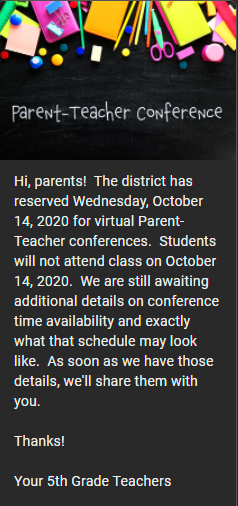
Parent Teacher Conference Sign Up

I’ve created a sign up genius for Parent/Teacher conferences which will be held virtually. You can sign up by clicking the button below!

Sign Up!

I’ve attempted to create a variety of available times so that you have options. If there is an issue with not being able to secured a preferred time, please reach out and we will see what we can come up with together!

Guest Speaker

Displaying Guest Speaker 
Friday ...

Speaker: Dr. Gennis
Clinical Director, Behavioral Health Services
Topic: Stress & Anxiety
Time: Friday, October 9, 2020 @ 11:10am

RSVP- Parents, please respond to this message with:

YES, my child may attend.
OR
NO, my child may not attend.

***Parents are invited to join with their student if they would like to.
***Only students with confirmed parent’s approval will be sent a Google Meet Link for the event.
***This is not mandatory and no grades will be taken.

9/28

Curriculum

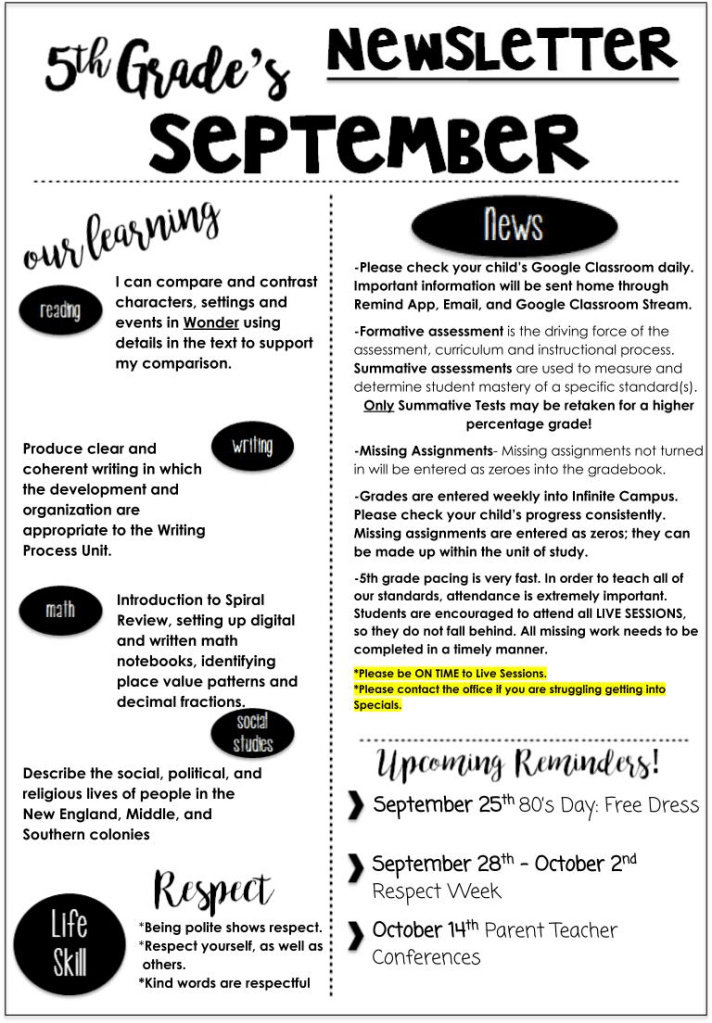
This week, we’ll jump into theme and main idea as well as continuing to read our current novel, Wonder. We’ll also start a new unit in math! I am sure your students are excited about this as well. We finished our unit on the 13 Colonies in social studies, and now we’re moving into a unit in health and science. In writing, we started writing in our notebook daily. Our writing notebooks will the source of our writing grades for the next couple of weeks, so please encourage your student to take advantage of our asynchronous writing time!

Your student’s weekly planner can be found here: http://bitly.ws/9SsC

Chromebooks

This week I sent a Remind about updating Chromebooks. Some students have experienced difficulty opening some documents, and after a little investigation, I have found that they haven’t updated or rebooted since they started distance learning. It’s also a good practice to do this on Fridays.

Displaying CCSD Chromebook Updates

Here’s a video on how to do that, which is also posted in Google Classroom:

9/14/2020

Good afternoon, parents! I hope you enjoyed your weekend with this cooler weather. I’ve posted this week’s learning calendar in google classroom. If you’d like to see what we have planned, you can see that here as well: https://bit.ly/32swWIZ

We will MAPs test again this week. Our testing will occur on Tuesday and Wednesday. Students with the initials starting with A-G will test on Tuesday. Students with the initials H-Z will test on Wednesday. I’ve also assigned this in Google Classroom for each day and for each student. If you’re unsure of anything, please reach out.

I will also work with smaller groups this week on non-testing days. I have worked through individual conferences with almost every student, and will check in with those students I met with in the first week of school again in the next few weeks.

When I conference with your student, we will check for any missing assignments in Google Classroom. I encourage you to do the same. Our 5th grade pace has picked up, and catching up will get more difficult as each week passes. Your students know how to check for missing assignments, returned work, and resubmit work for which I’ve provided feedback. I encourage you to ask them about this process.

If you have any questions or would like to meet with me, please send me a Remind message. If you’ve not signed up for Remind, please do so.

4 Thank You Page Examples to Boost Customer Loyalty

Your students are working hard at building our classroom community and I’m very proud of them. Thanks for raising great kids! Together, we can do anything!

Tomorrow and Thursday

Good afternoon, parents!

MAPS Testing this week is on
Wednesday, 9/9 and Thursday, 9/10 @ 9:50am!

(Last Names A – GA – test on WEDNESDAY;
Last Names Go-Z – test on THURSDAY)

Only those students testing will log in at 9:50. All students will login at 2:10. THERE IS A SPECIFIC LINK FOR LOGIN in Google Classroom for each day. We will not use our regular meet link.

*Getting ready for MAPS Testing Day VIDEO (in Google Classroom)
*MAPS Slide Deck 2-5 PPT (in Google Classroom

***On the day your child is not testing, they go to their ‘My Digital Planner’ in Google Classroom to view their assignments. All assignments are listed on the slide that says “Ketchup & Pickles.”***

Please check your email or click here: https://msbinclass.com/2020/09/04/maps-testing/ for a detailed explanation of MAPS testing and additional troubleshooting links to help.

Happy Labor Day!

I hope you’ve enjoyed this three day weekend with your students. Happy Labor Day!

Things to Do for Labor Day 2019 in Pine River, MN - Kimber Creek Ford

Curriculum

Last week in reading, we continued to work on demonstrating an understanding of how a narrator’s or speaker’s point of view influences how events are described. Students demonstrated their understanding by creating a sunburst detailing each point of view in a chosen picture with 5th grade detail.

In math, students worked on expressing fractions as decimals and decimals as fractions. This week, students will work to demonstrate the ability to read, write, and compare decimals to thousandths.

In writing, students worked on the writing process, 5th grade writing expectations, and understanding the difference between editing and revising. This week students will work on that process independently.

In social studies, students have been learning all about the 13 colonies through whole group and independent work. Students are investigating how the cultural and environmental characteristics of places within the United States change over time.

MAPs Testing

We will MAPs test this week and next week on Wednesday and Thursday. I have sent a remind message and an email with your student’s MAPs testing date. This is a district mandated test and all students must take it. Students must have their cameras on for this test, for the entire duration of the test. These requirements are district policy. For more information see: https://msbinclass.com/2020/09/04/maps-testing/

Grading

Students have really started to take responsibility for their own education this week, and that is our goal. I am proud of how hard your students are working to make the most of this distance learning process. I usually grade on Sundays, and those grade will be updated and posted weekly. If students have missed a deadline and turned in an assignment, the updated grade will be posted the following week. If you have any questions about this process, please reach out to me. Students and parents can see which assignments are missing through Google Classroom and Infinite Campus.

This is going to be another great week in 5th grade! I’ll see your students tomorrow! 🙂

MAPs Testing

Important takeaways from this message:

5th grade will be testing on both Wednesday, September 9th and Thursday, September 10th.  Your student will be assigned to one of those days.  We will send a separate message informing you of your child’s test day.  Next week, we will take our MAPs reading testing.  The following week, we will take math MAPs testing in the same manner.  

We have provided the above mentioned videos and slides to help you prepare for the MAPS testing and ask that you review each of them before we’re scheduled to test.  We have also assigned students a “homework” assignment with these videos.  Students must complete that assignment before they will be admitted to the MAPs testing meet.  If students are unable to get into a testing session on the day they are scheduled to test, they will leave our meeting and we will reschedule them to test on another day.  With that in mind, it is important that your student’s device is ready to go on testing day.  

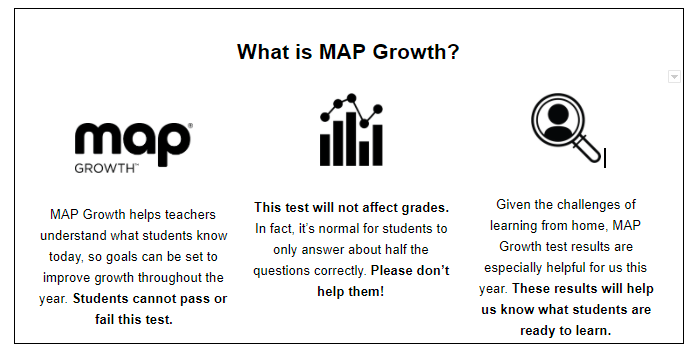
Students aren’t getting graded and parents MAY NOT assist.  If parents assist we will not get an accurate assessment of a student’s ability.  Student cameras must remain on while they are testing.  We, as teachers, are required to actively proctor this test.  If an adult is near a student or there is a possibility that a student is receiving guidance, the test will be suspended. Retests will not be permitted. 

Test Preparation

Prior to Test Day

  1. Make sure your device has an internet connection 
  2. Disable pop-up blocking on your internet browser
  3. Make sure your device meets testing requirements using the Workstation Diagnostic Tool
  4. Watch the MAP Growth introduction video 
  5. Practice the test at practice.mapnwea.org
    (Username: grow, Password: grow) 

On Test Day

  1. Minimize distractions for your child as much as possible
  2. Provide a quiet testing environment 
  3. Allow the teacher/proctor to open the session first
  4. Log in at test.mapnwea.org
  5. Make sure you have a way to communicate with the teacher/proctor during the test
  6. Follow any additional instructions from the teacher/proctor